Bitdefender 2018 Review
Hello and welcome to the PC security channel. Today, we'll be taking a look at BitDefender Total Security 2018. As you can see, the new UI is still a very dark theme, and we still have the autopilot option right up here, It is a very simplistic design And you can find whatever you need to do in the home screen. You can also look at the advanced features, But there's really not much that you can do.
For example, if we go into advanced threat defense we can only Whitelist certain applications. So the settings have been simplified, We do have protected folders as a lot of modern products do to safeguard Certain specific data against ransomware. BitDefender I believe have also improved their ransomware protection module so we'll see how that works out in this test. So we have some malware links over here that we're gonna try and Load on this virtual machine, and we'll see how BitDefender protects us.
Let's start with our first link All of these are EXE files that will attempt to download and execute First one is easily blocked by the Web Filter trojan.Generic Trick.Exe.Com this one is a double extension and is blocked by the anti-malware filter Let's keep going Web filter kicks in again, gen.Trojan heuristics Another malware link, and same result. This time, it's a trojan injector. Pax.Exe is next, blocked again. We just have three more links to go and so far every single one of these has been Taken care of by the web protection module so we haven't even had any files that downloaded successfully BitDefender are known for their great signatures.
They're one of the best AV engines out there I don't think I need to mention that once again the page is blocked The last link... We don't have any funny link names today, which is kind of disappointing. Usually I have a lot of fun reading these But yeah, at least BitDefender blocked all of them, so it was a really quick test Now let's disable the protection for a moment and grab our files. Aww Really, Do I have to do it this way? Come on.
Now let's go and grab our files In here I believe we have 680 or so malware items no actually 780 I think. Let's just make sure, yep. 780 Items It's a mixture of ransomware, PUPS, all kinds of malware and It's ready to start invading the system. Before that though, I'm going to do a full scan with BitDefender and see what it detects and What it can remove.
The scan seems to have finished and? We have 724 unresolved items. I'm just going to select delete for this. I love the fact that they actually have a delete option apart from their take proper actions. Removal process is also pretty quick.
The scan only took a minute or so. There's still several items left over which could not be deleted for some reason, which I? Kind of fail to understand why, but let's go ahead and take proper actions. Maybe it's just because they were part of some archive or inside in a file So it didn't want to delete the entire file. And now everything has been resolved.
Let's go ahead and do another scan just to be sure... Yep, system is clean according to BitDefender But we still have 80 items in here so that gives us a detection ratio of 89.7%. Pretty much 90%, which is good for files that I have.Most of these. I got yesterday now, however We have to give these files their best shot at entering the system and see if BitDefender can still protect us So I'm going to reenable the BitDefender shield.
As you can see, everything is now turned on and we are protected. So let's get started malware three dot exe What have you got in store for us today? Nothing apparently. Huh there we go. Online HD TV, so it looks like some sort of adware program.
Let's see if BitDefender kicks in somewhere Midway and block some aspect of it The next one seems like some broken installer maybe part of it was removed by bitdefender The detection ratio could be a little bit higher than what we calculated because some of these may have been disinfected [Music plays] All right so one of the reasons we were not getting a lot of alerts even in the Non autopilot mode was because I had enabled quiet hours in Windows. And since BitDefender is using the windows frame for notifications, It automatically silenced that which is nice I guess. I mean you could potentially just do that and you wouldn't get the alerts. All right our second opinion Scanners are done And it's time to examine the results.
ZAMAMA anti-malware portable does not detect anything However hitman pro has found a lot of adware so the first thing pc repair kit this one is Active, and it's classified as malware tweak bet so this is definitely a PUP. Then we have Some of the tasks under it Associated registry keys and there's a lot of these so a lot of registry keys so no major infections But we do have some annoying PUPS installed. Oh, by the way, if you're using BitDefender Internet Security or something similar, you should expect similar results because these Programs are more or less the same now I will be doing a few more tests in the future To check out some of their 0-day protection components in a bit more depth. Maybe do an updated video vs ransomware So let me know your thoughts in the comments below.
What do you think about BitDefender 2018? In my opinion, It's definitely one of the best automated security solutions out there. It's great for a number of use cases And it's truly one of those install and forget kind of AV programs And if any of you are considering buying this here's a great deal for you You can use *TPSC BitDefender* as a coupon code, and you're going to get an exclusive 50% discount on all their products, and they'll give me a small kickback as well I'll leave a link in the description. A big Thanks to BitDefender for making it happen. Just to be clear, this video is not sponsored in any way.
It's totally non-conditional Once again, thank you for watching. This is Leo from the PC security channel. Stay tuned for more interesting videos and as always Stay informed, Stay Secure. Subtitled by SmilerRyan.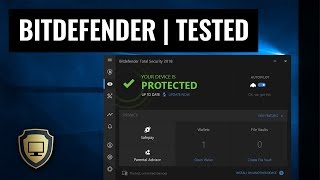
For example, if we go into advanced threat defense we can only Whitelist certain applications. So the settings have been simplified, We do have protected folders as a lot of modern products do to safeguard Certain specific data against ransomware. BitDefender I believe have also improved their ransomware protection module so we'll see how that works out in this test. So we have some malware links over here that we're gonna try and Load on this virtual machine, and we'll see how BitDefender protects us.
Let's start with our first link All of these are EXE files that will attempt to download and execute First one is easily blocked by the Web Filter trojan.Generic Trick.Exe.Com this one is a double extension and is blocked by the anti-malware filter Let's keep going Web filter kicks in again, gen.Trojan heuristics Another malware link, and same result. This time, it's a trojan injector. Pax.Exe is next, blocked again. We just have three more links to go and so far every single one of these has been Taken care of by the web protection module so we haven't even had any files that downloaded successfully BitDefender are known for their great signatures.
They're one of the best AV engines out there I don't think I need to mention that once again the page is blocked The last link... We don't have any funny link names today, which is kind of disappointing. Usually I have a lot of fun reading these But yeah, at least BitDefender blocked all of them, so it was a really quick test Now let's disable the protection for a moment and grab our files. Aww Really, Do I have to do it this way? Come on.
Now let's go and grab our files In here I believe we have 680 or so malware items no actually 780 I think. Let's just make sure, yep. 780 Items It's a mixture of ransomware, PUPS, all kinds of malware and It's ready to start invading the system. Before that though, I'm going to do a full scan with BitDefender and see what it detects and What it can remove.
The scan seems to have finished and? We have 724 unresolved items. I'm just going to select delete for this. I love the fact that they actually have a delete option apart from their take proper actions. Removal process is also pretty quick.
The scan only took a minute or so. There's still several items left over which could not be deleted for some reason, which I? Kind of fail to understand why, but let's go ahead and take proper actions. Maybe it's just because they were part of some archive or inside in a file So it didn't want to delete the entire file. And now everything has been resolved.
Let's go ahead and do another scan just to be sure... Yep, system is clean according to BitDefender But we still have 80 items in here so that gives us a detection ratio of 89.7%. Pretty much 90%, which is good for files that I have.Most of these. I got yesterday now, however We have to give these files their best shot at entering the system and see if BitDefender can still protect us So I'm going to reenable the BitDefender shield.
As you can see, everything is now turned on and we are protected. So let's get started malware three dot exe What have you got in store for us today? Nothing apparently. Huh there we go. Online HD TV, so it looks like some sort of adware program.
Let's see if BitDefender kicks in somewhere Midway and block some aspect of it The next one seems like some broken installer maybe part of it was removed by bitdefender The detection ratio could be a little bit higher than what we calculated because some of these may have been disinfected [Music plays] All right so one of the reasons we were not getting a lot of alerts even in the Non autopilot mode was because I had enabled quiet hours in Windows. And since BitDefender is using the windows frame for notifications, It automatically silenced that which is nice I guess. I mean you could potentially just do that and you wouldn't get the alerts. All right our second opinion Scanners are done And it's time to examine the results.
ZAMAMA anti-malware portable does not detect anything However hitman pro has found a lot of adware so the first thing pc repair kit this one is Active, and it's classified as malware tweak bet so this is definitely a PUP. Then we have Some of the tasks under it Associated registry keys and there's a lot of these so a lot of registry keys so no major infections But we do have some annoying PUPS installed. Oh, by the way, if you're using BitDefender Internet Security or something similar, you should expect similar results because these Programs are more or less the same now I will be doing a few more tests in the future To check out some of their 0-day protection components in a bit more depth. Maybe do an updated video vs ransomware So let me know your thoughts in the comments below.
What do you think about BitDefender 2018? In my opinion, It's definitely one of the best automated security solutions out there. It's great for a number of use cases And it's truly one of those install and forget kind of AV programs And if any of you are considering buying this here's a great deal for you You can use *TPSC BitDefender* as a coupon code, and you're going to get an exclusive 50% discount on all their products, and they'll give me a small kickback as well I'll leave a link in the description. A big Thanks to BitDefender for making it happen. Just to be clear, this video is not sponsored in any way.
It's totally non-conditional Once again, thank you for watching. This is Leo from the PC security channel. Stay tuned for more interesting videos and as always Stay informed, Stay Secure. Subtitled by SmilerRyan.


Komentar
Posting Komentar